Prompts
A Prompt defines the instructions given to an agent. Prompts are managed separately from agents so you can reuse one prompt across several agents, or swap a prompt without touching agent configuration. The plugin authors and versions prompts for you through the platform API.
Describe the behaviour you want ("summarise the patient's recent visits and flag anything urgent") and the plugin writes the system and user prompts, extracts the variables, and attaches them to the agent. You can refine the wording later in the App Panel.
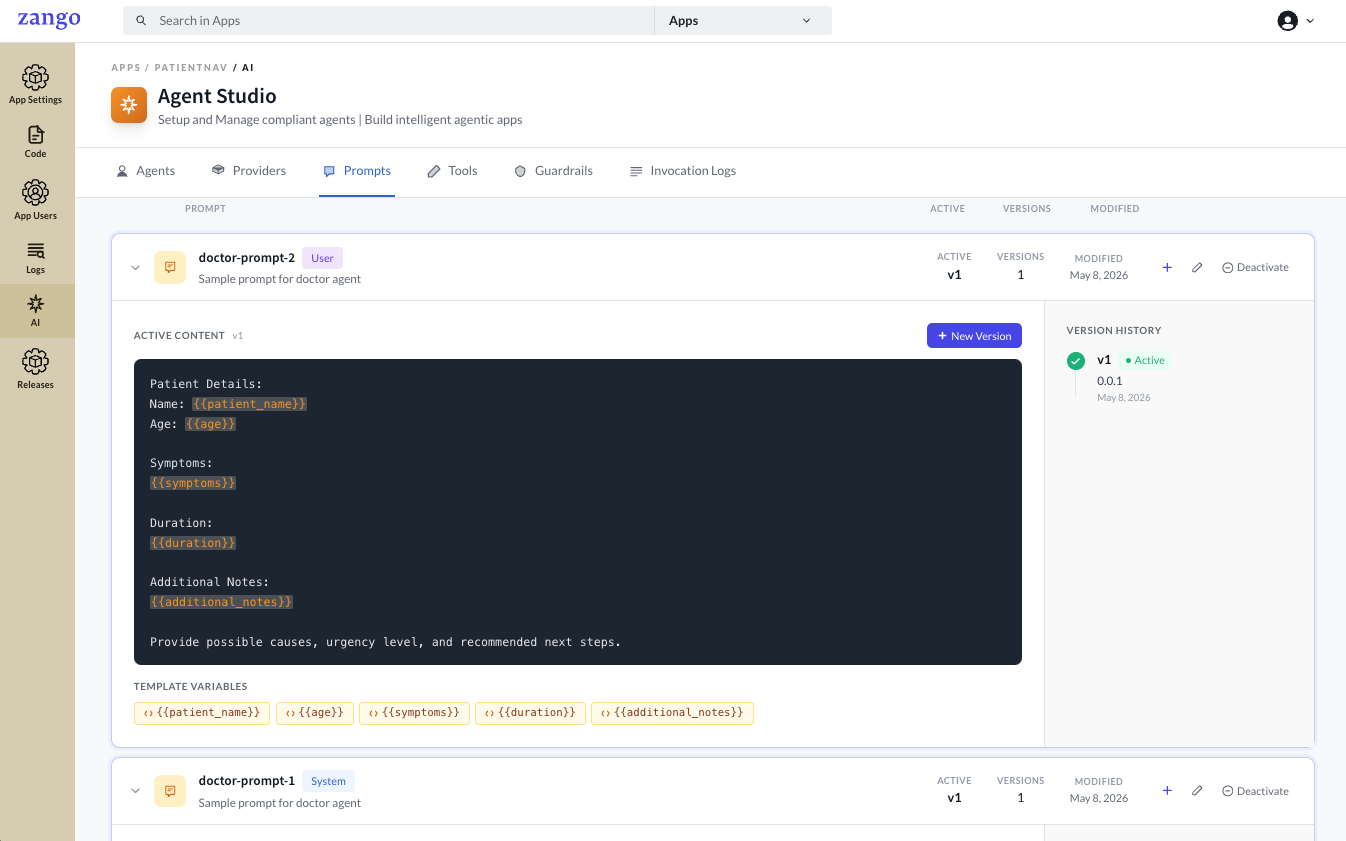
What a prompt holds
| Field | Description |
|---|---|
| Name | A unique identifier (e.g. patient-summary-system) |
| Type | system is injected before the conversation; user is sent as a user turn |
| Description | Internal note explaining what the prompt is for |
| Prompt Content | The instruction text sent to the model |
| Version | Auto-incremented on every save; new versions start as drafts |
Variables
Both system and user prompts support variables with double-brace syntax, for example
{{patient_name}}. Variables are extracted automatically and supplied at runtime:
system_variables= renders the system prompt and variables= renders the user
prompt. See Running Agents for how values are passed.
Versioning
Every save creates a new draft version. Drafts are not used by agents until one is promoted with Make Active, and only the active version is resolved when an agent references the prompt by name. A side-by-side diff is kept for every edit so you can audit exactly what changed.
Activating a new version immediately affects every agent attached to the prompt. To experiment safely, create a separate prompt with a different name and test it on a non-production agent first.
Next steps
With prompts ready, define the tools your agent can call.