Audit Logs & Framework Logs
The Logs section of the App Panel gives you full observability into your Zango application — who logged in, what data changed, and what the framework did. All logs are scoped to the current app's workspace.
Access Logs
Logs → Access Logs tracks every authentication and session event for your app's users.
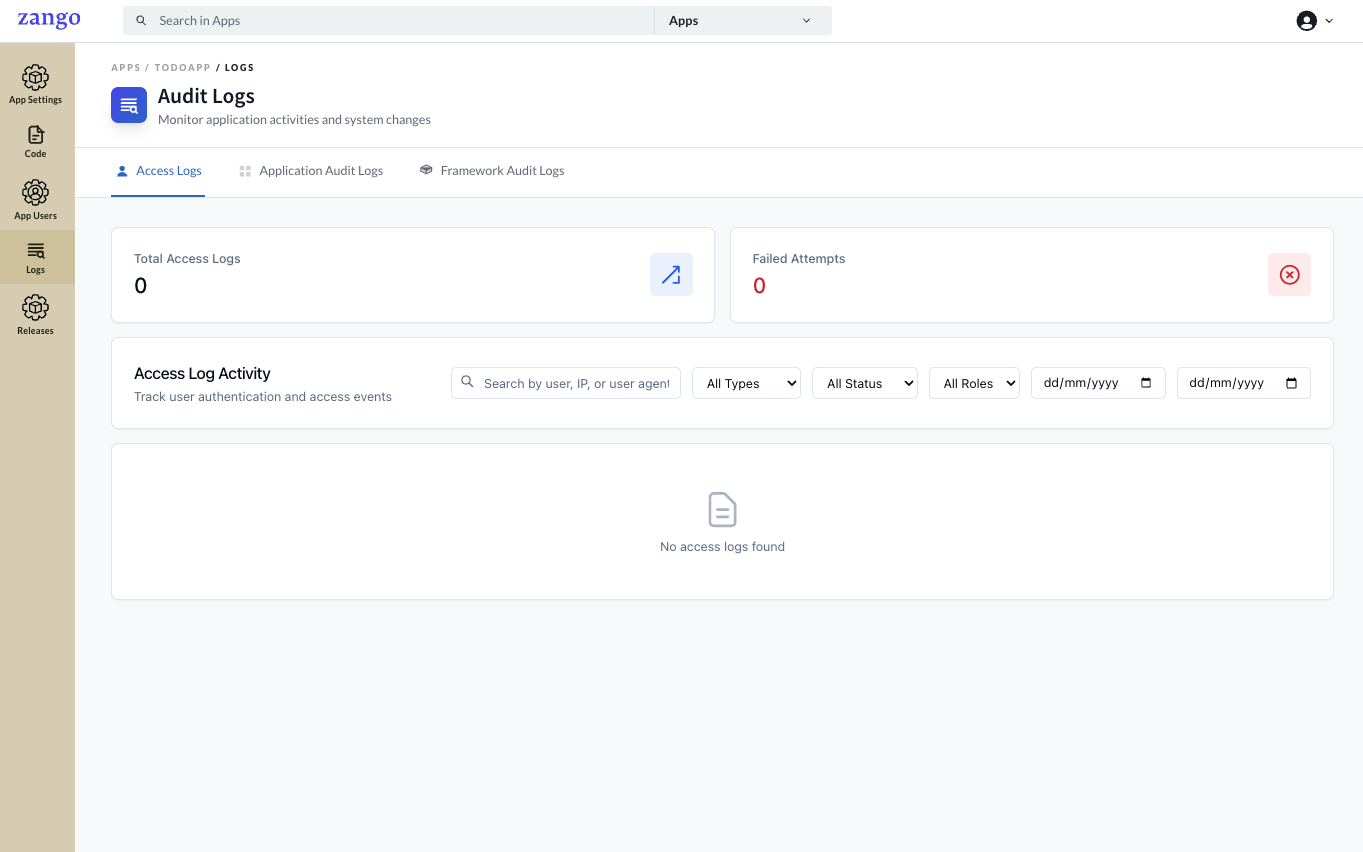
Metrics at a glance:
- Total Access Logs — all login/session events
- Failed Attempts — authentication failures (useful for detecting brute-force attempts)
Each log entry includes:
- Timestamp
- User ID and user agent (browser/device)
- Event type (login, logout, failed login, session expired)
- Status (success / failure)
- Role at time of access
Filtering options:
- Search by user ID or user agent string
- Filter by event type (All Types)
- Filter by status (All Status — success/failure)
- Filter by role (All Roles)
- Date range (from/to, dd/mm/yyyy format)
Common use cases:
- Investigate unauthorized access attempts
- Audit which roles are actively using the app
- Debug login issues for specific users
Application Audit Logs
Logs → Application Audit Logs tracks all data changes made to your app's models — creates, updates, and deletes.
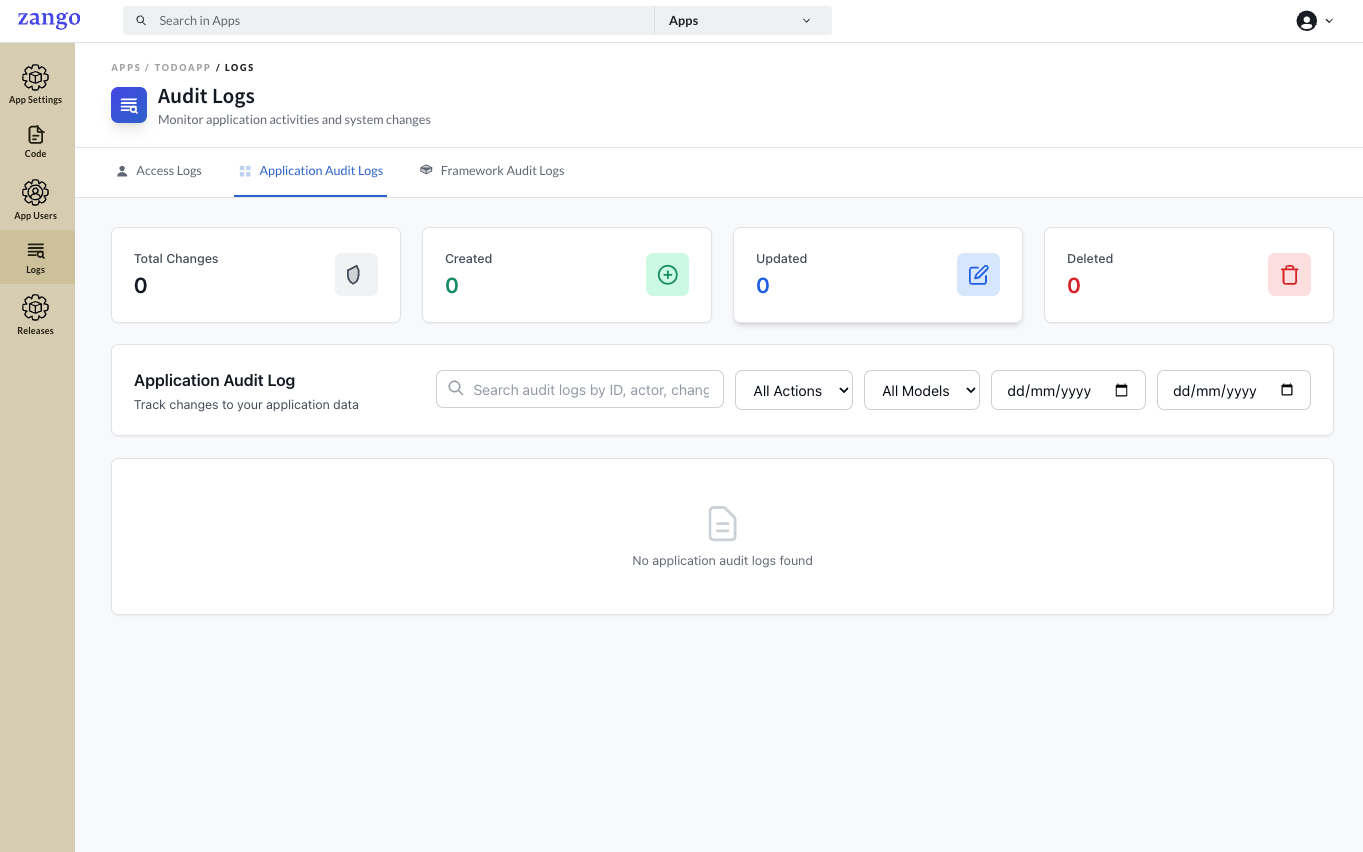
Change summary metrics:
| Metric | Description |
|---|---|
| Total Changes | All model mutation events |
| Created | New records inserted |
| Updated | Existing records modified |
| Deleted | Records removed |
Each log entry includes:
- Timestamp
- Actor (which user performed the action)
- Action type (create / update / delete)
- Model name (e.g.,
Patient,Order) - Record ID and a diff or snapshot of what changed
Filtering options:
- Free-text search by ID, actor name, or changed field
- Filter by action type (create / update / delete)
- Filter by model name
- Date range
Common use cases:
- Compliance auditing — track who changed what and when
- Debugging data integrity issues
- Reconstructing the history of a specific record
Framework Audit Logs
Logs → Framework Audit Logs records system-level events generated by Zango itself — package installs, policy syncs, app configuration changes, and platform-level operations.
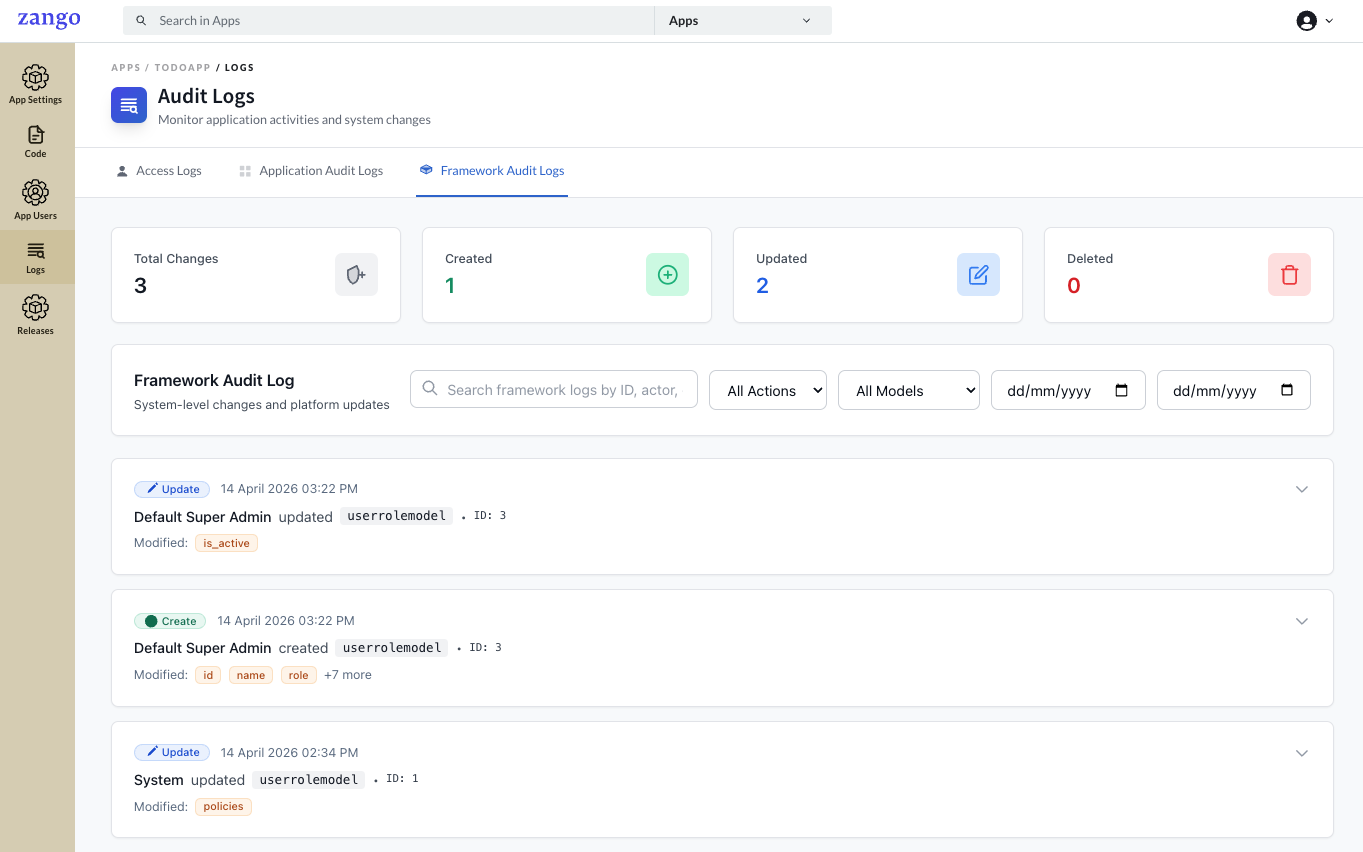
Each entry shows:
- Timestamp
- Action type (e.g.,
policy_synced,package_installed,app_updated) - Affected component or configuration
- Actor (platform admin or system)
Common use cases:
- Confirm a policy sync (triggered via Code → Policies → Sync Policies) completed successfully
- Confirm
zango update-apps(for app fixtures) ran successfully - Audit when packages were installed or updated
- Trace framework-level errors that don't appear in application code