Routes
The Routes page (Code → Routes in the App Panel) shows every URL pattern registered in your Zango application — both routes defined in your own modules and those contributed by installed packages.
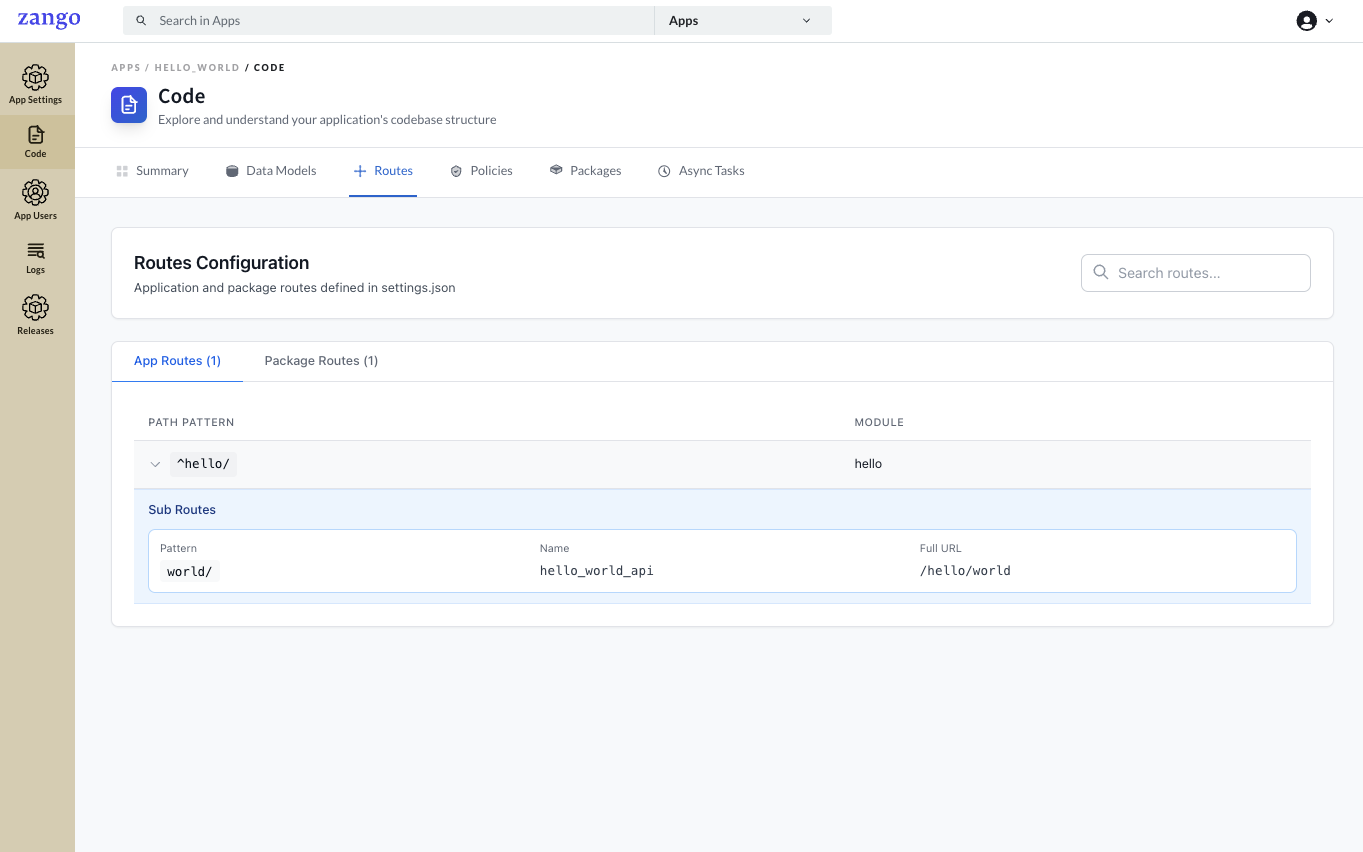
Route Types
App Routes — URL patterns defined in your backend/<module>/urls.py files, wired up via settings.json. These are the views you write.
Package Routes — URL patterns contributed automatically by installed packages (e.g., crud, workflow, appbuilder). These power the CRUD API, workflow transitions, and AppBuilder configuration endpoints.
Route Details
Each route entry shows:
| Field | Description |
|---|---|
| Path Pattern | The URL regex or path (e.g., ^patients/, ^orders/<uuid>/) |
| Module | Which module handles this route (e.g., patients, orders) |
| Name | The named URL pattern (e.g., patient_list, order_detail) |
| Full URL | The complete accessible URL (e.g., /patients/, /orders/<uuid>/) |
Sub-routes (nested under a parent path prefix) are shown expandably below their parent.
How Routes Are Registered
In your module's urls.py, always add trailing slashes:
from django.urls import path
from .views import PatientCrudView, PatientDetailView

urlpatterns = [
    path('patients/', PatientCrudView.as_view(), name='patients'),
    path('patients/<uuid:pk>/', PatientDetailView.as_view(), name='patient_detail'),
]
Then register the module in settings.json:
{
  "modules": [
    {
      "name": "patients",
      "path": "backend/patients",
      "urls": "backend.patients.urls"
    }
  ]
}
Common Use Cases
Verifying a view is accessible — Search for the path pattern to confirm a route registered correctly after a code change.
Debugging 404 errors — If a URL returns 404, check Routes to see if the pattern exists and which module handles it.
Finding package API endpoints — Package routes show the CRUD, workflow, and AppBuilder API endpoints used by the React frontend (e.g., /api/v1/crud/, /api/v1/workflow/).