Configuring Routes
Routes are configured in App Panel → Packages → AppBuilder → Routes.
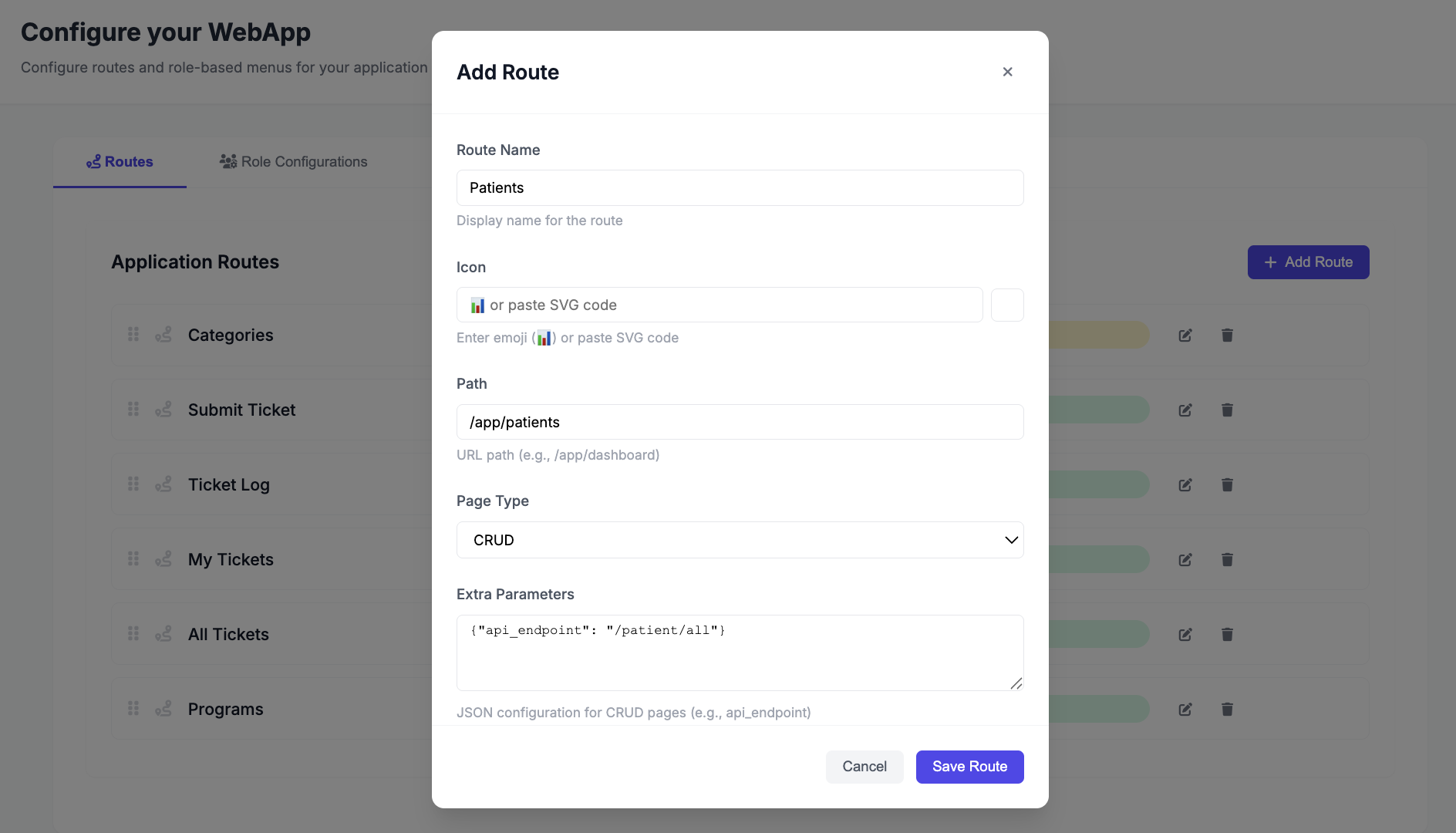
Adding a CRUD Page Route
Use this for any page built with BaseCrudView — no React component needed.
- Click Add Route
- Set Path — e.g.
/app/patients - Set Page Type to
crud - Set API Endpoint (in extra params) — the URL of your
BaseCrudView, e.g./patients/ - Save
The frontend will render a full list/create/edit/delete interface at /app/patients, backed by your CRUD view at /patients/.
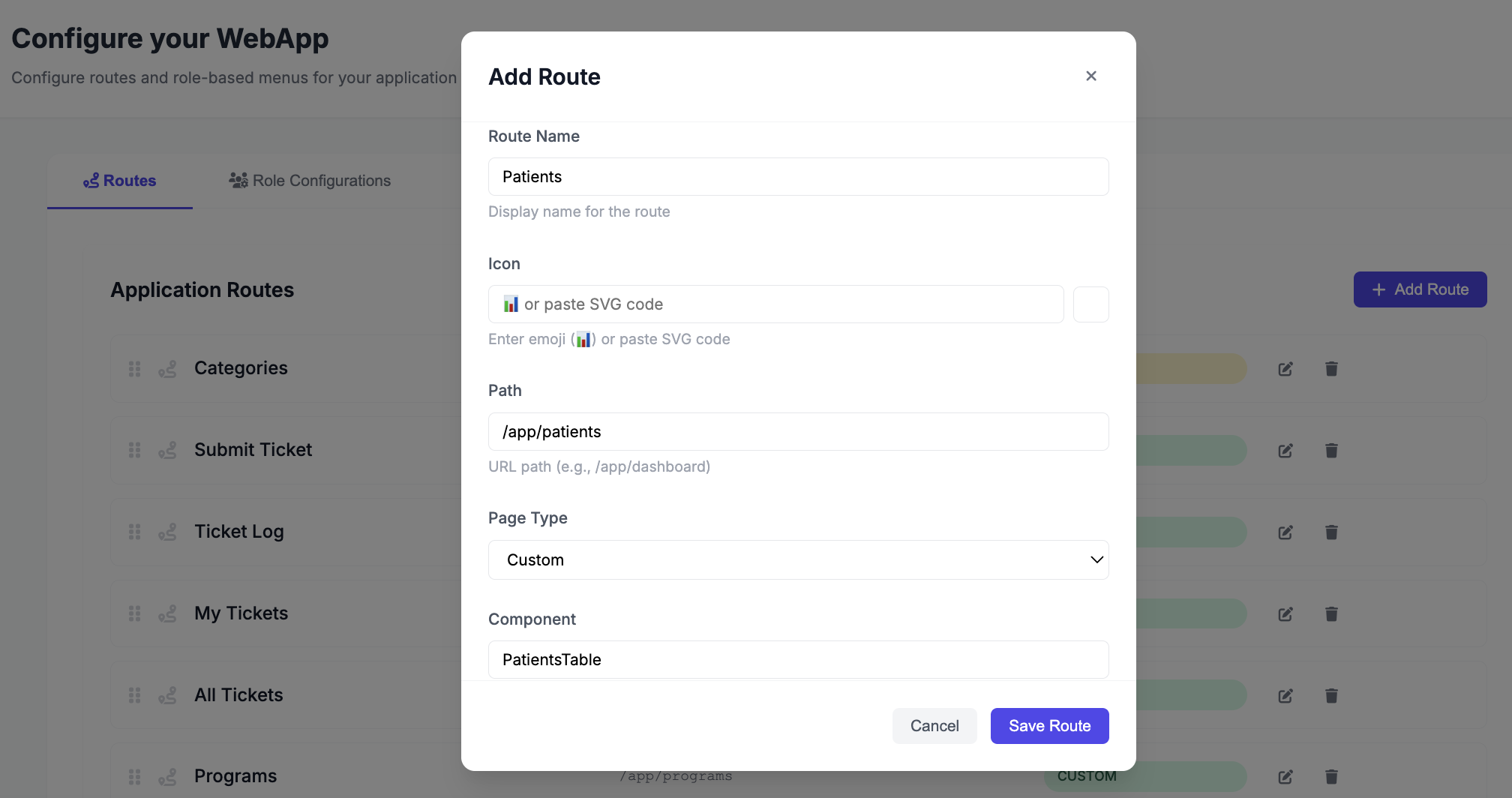
Adding a Custom Page Route
Use this for dashboards, wizards, or any custom React component.
- Click Add Route
- Set Path — e.g.
/app/dashboard - Set Page Type to
custom - Set Component — must exactly match the export name in
src/custom/pages/index.js - Save
Route Paths
- All paths must start with
/app— e.g./app/patients,/app/dashboard - When saving, all existing routes are replaced — include every route each time you save
Viewing the Initializer Response
To see what routes the frontend is receiving, open:
GET /appbuilder/initializer/
The routes array in the response shows all configured routes for the current user's role.