Setting Up an LLM Provider
An LLM Provider stores the connection credentials for a Large Language Model API. Providers are configured per tenant in the App Panel. You must create at least one provider before creating any agents.
Supported Providers
Zango currently supports OpenAI and Anthropic. Available models are fetched automatically from the provider once a valid API key is saved.
Azure OpenAI and Amazon Bedrock support are planned for a future release.
Creating a Provider
Open the App Panel → navigate to your app.
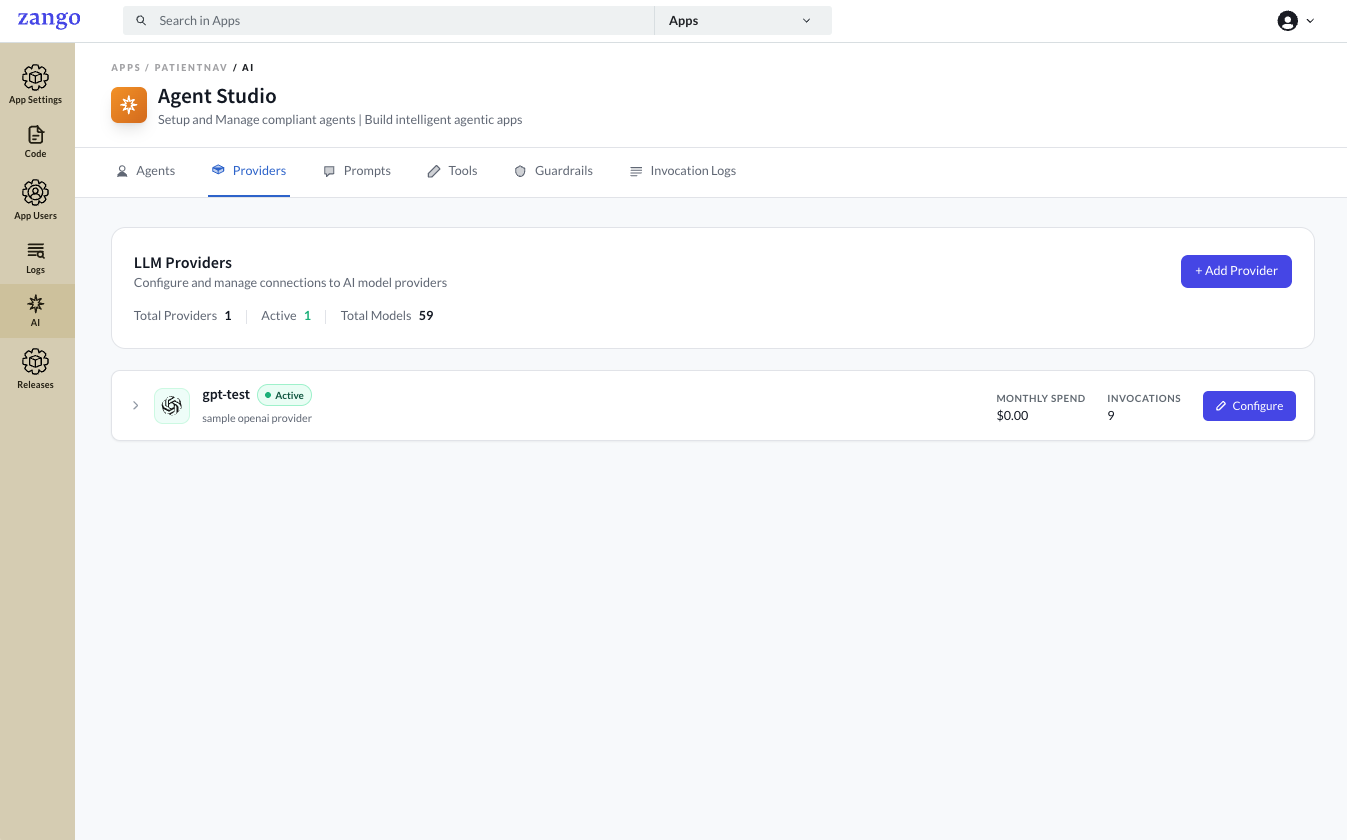
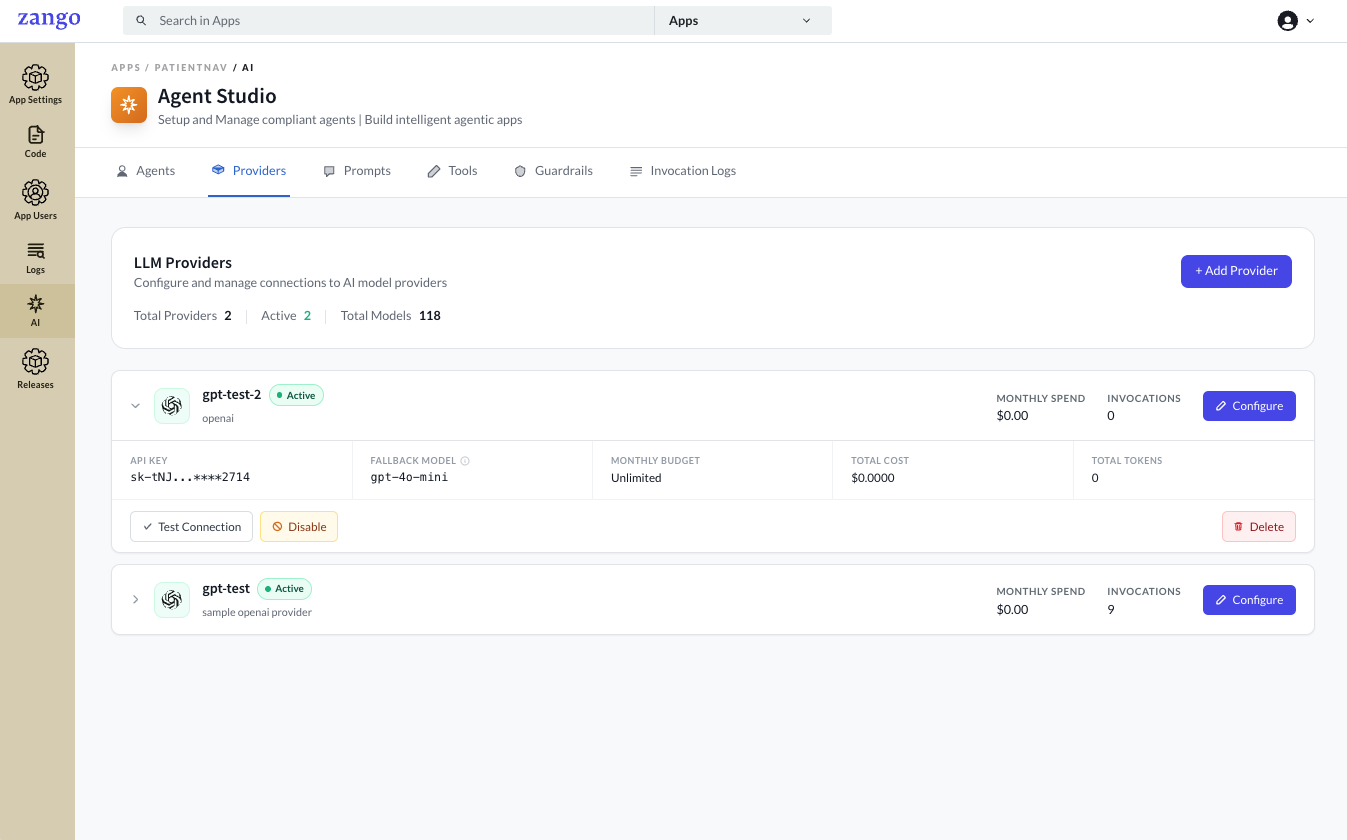
Go to AI → Providers.
Click Add Provider.
Select your provider and fill in the form
Field Description Provider Type OpenAI, Anthropic, or custom API Key Stored encrypted using field-level encryption — never exposed in plaintext after saving Organization ID (OpenAI only) Your OpenAI organization identifier — optional, leave blank if unused 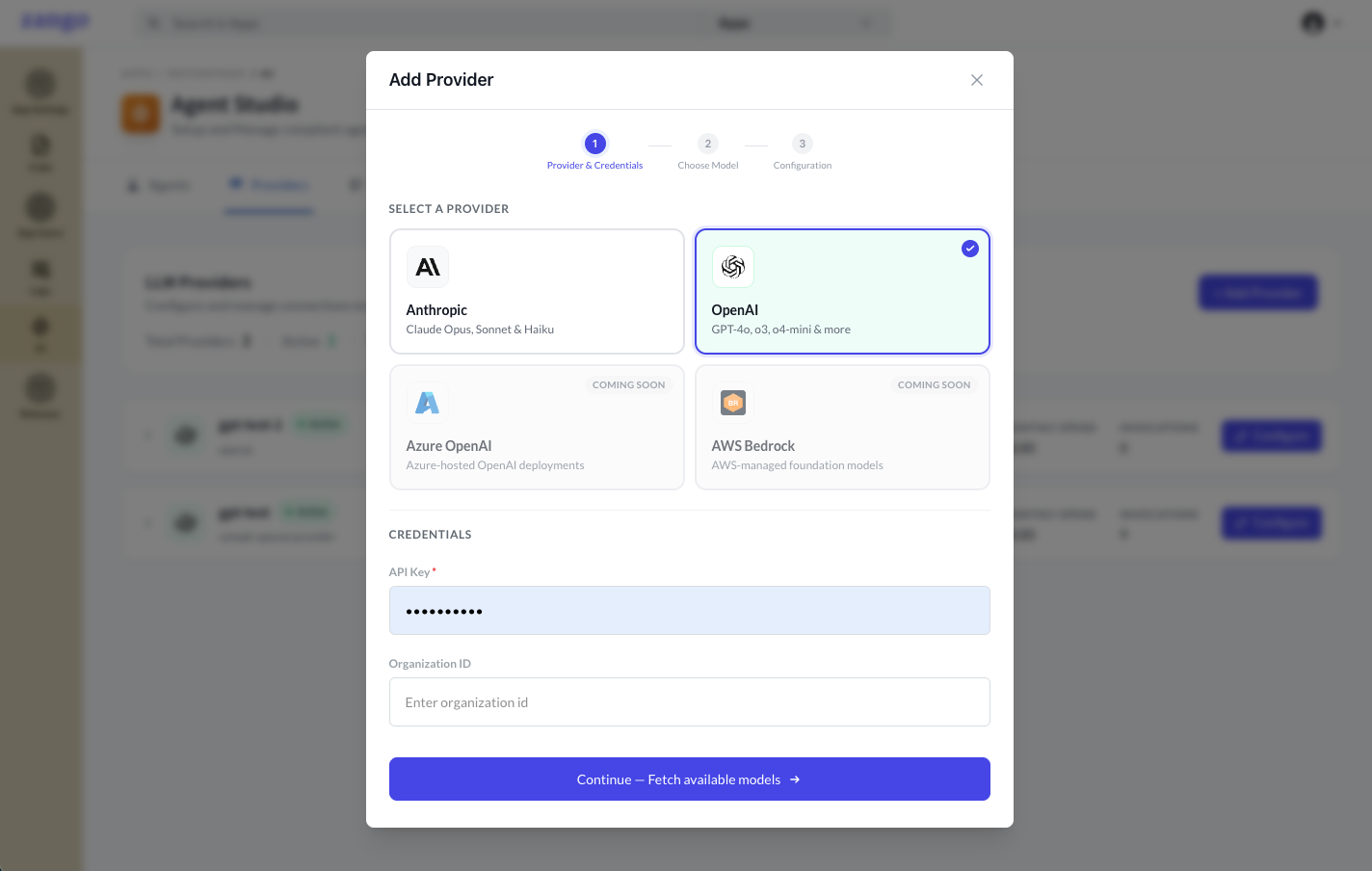
Click Continue.
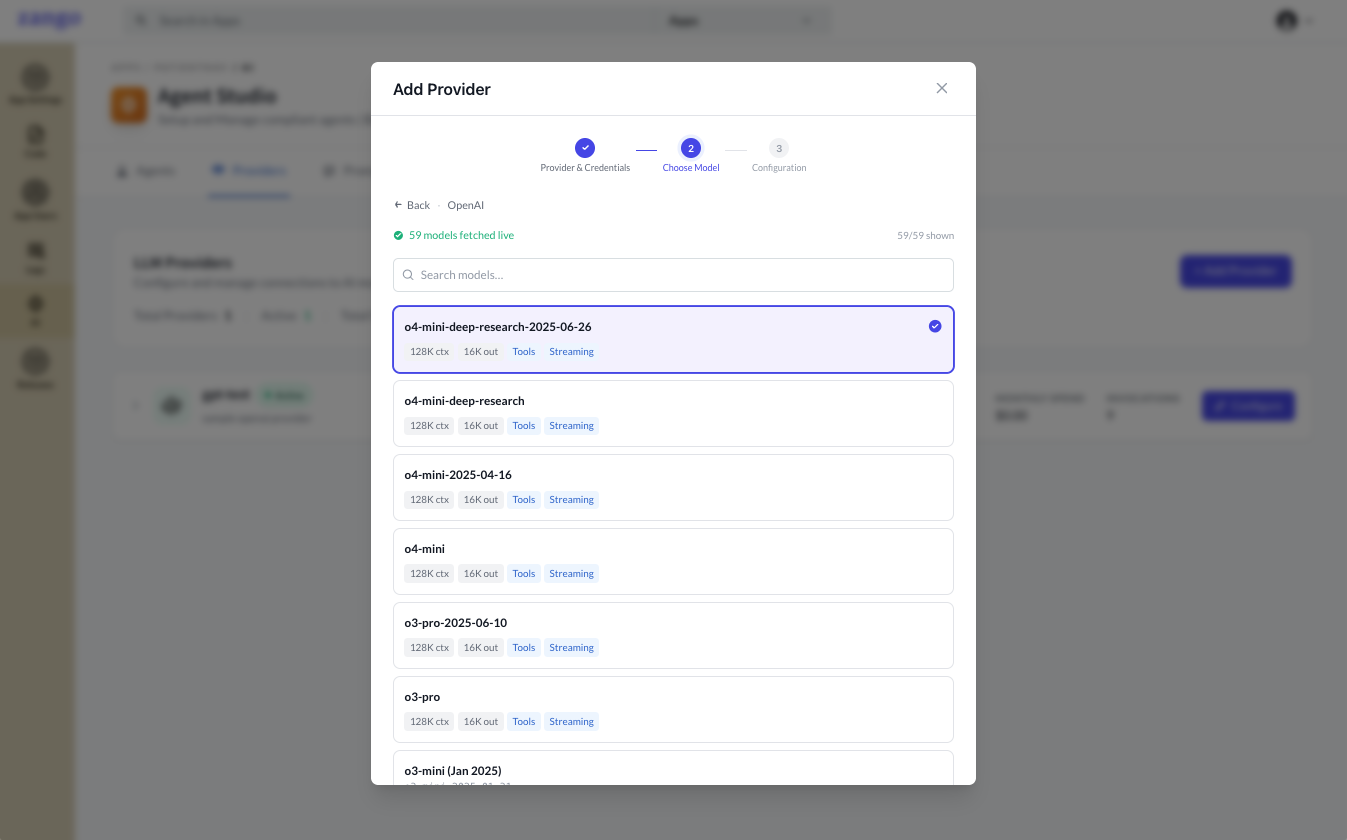
Choose your model from the list of available Models
Fill in the final details for the provider
Field Description Name A label for this provider configuration Description Optional notes about this provider's intended use Rate Limit Maximum requests per minute — leave blank for no limit Monthly Budget (USD) Spend cap in USD; Zango stops routing requests once reached — leave blank for unlimited 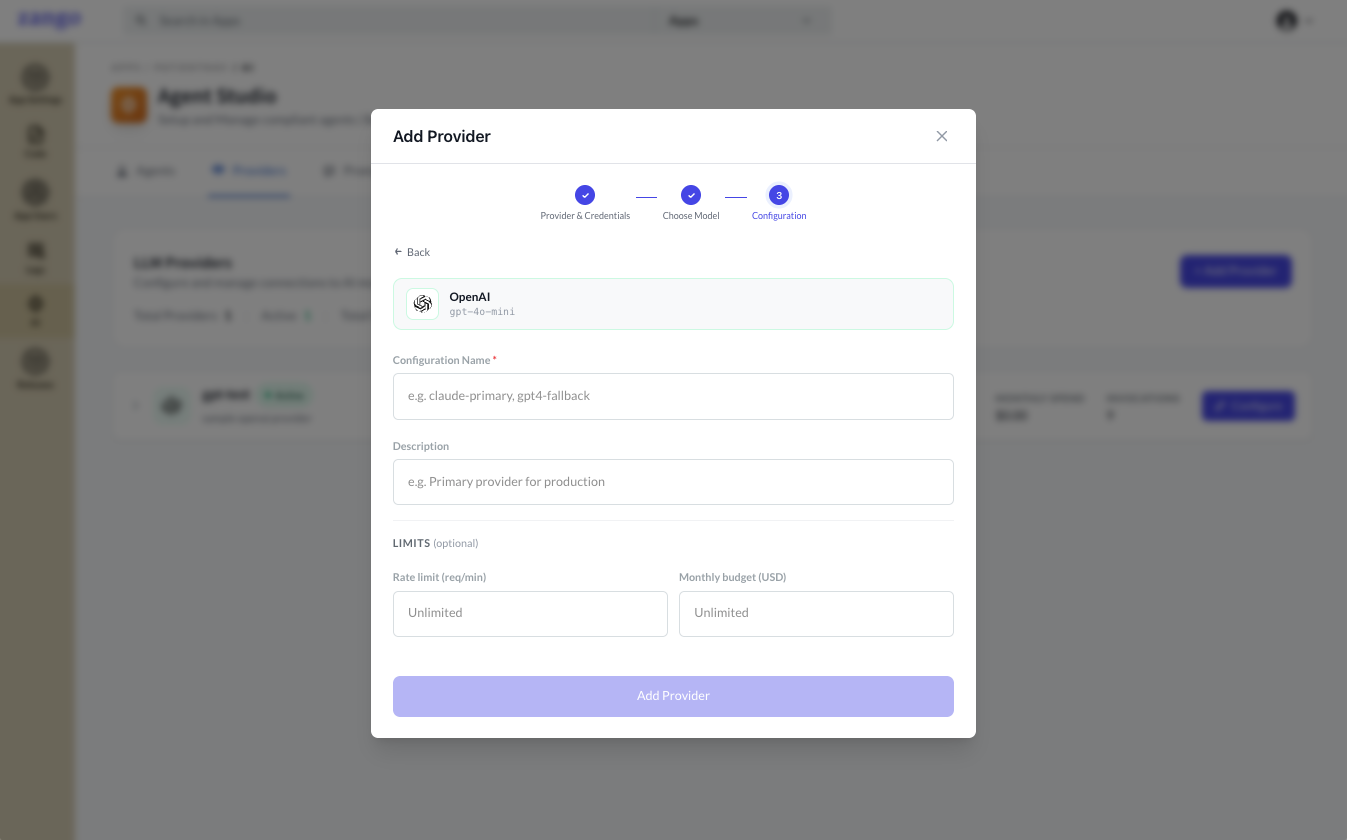
Click Add Provider to create the provider
The provider is created and can be viewed under the Provider section
Security
API keys are encrypted at rest using Zango's FIELD_ENCRYPTION_KEY. The key value is write-only in the UI — once saved, only the key name is visible. Rotate a provider's key at any time by editing the record.
Never put LLM API keys in your app code or the project .env file. Always use the App Panel provider credentials — they are stored encrypted per tenant and are not shared across apps.
Multiple Providers
You can configure multiple providers per tenant. Each agent selects its provider individually, so you can mix providers across agents within the same tenant.
Next Steps
Once a provider exists, create an agent and select this provider for it.